Transcribed on your device.Ready wherever you are.
Record a lecture or a meeting, or bring a PDF, a document or a YouTube video. Speech becomes text on your iPhone, iPad or Mac, and on supported devices, Apple Intelligence can write the summary too. Then study with flashcards and quizzes, and pick up where you left off on any device.
Free to start. No account needed on iPhone, iPad and Mac.
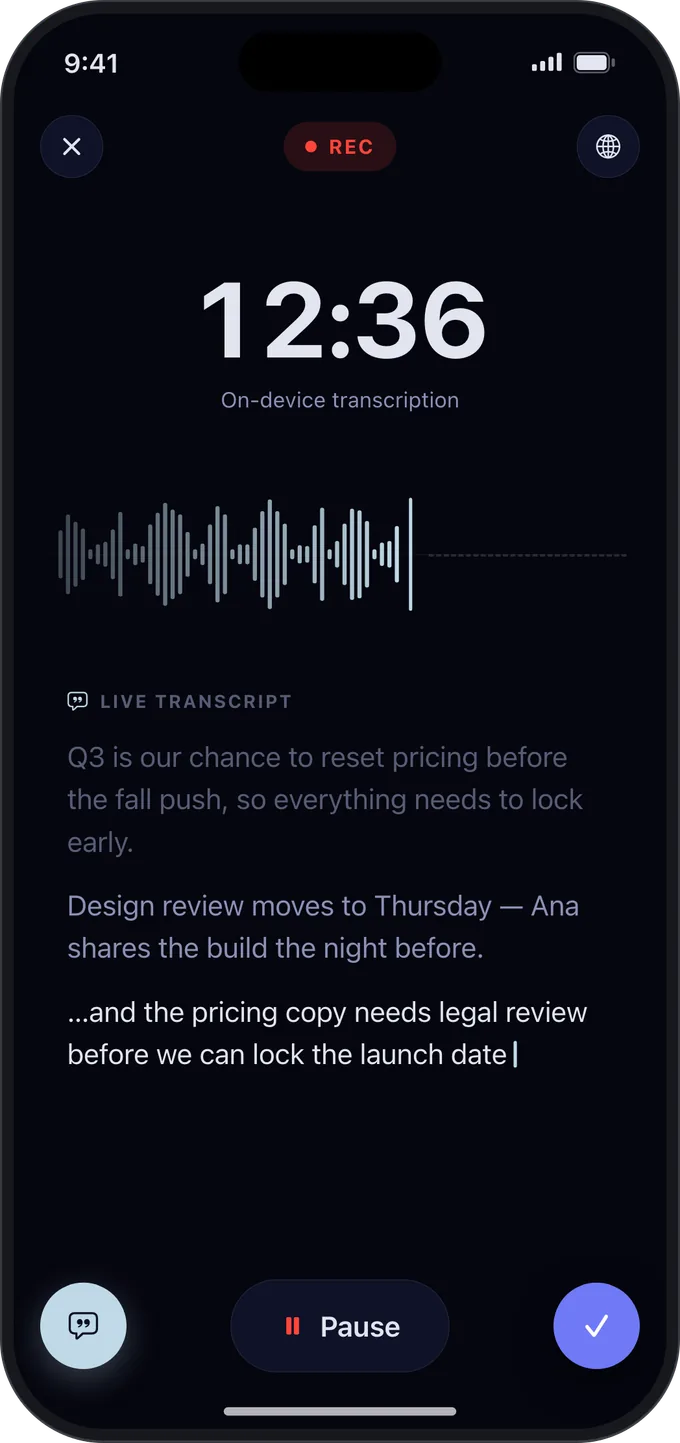
12:36
Transcribed on device
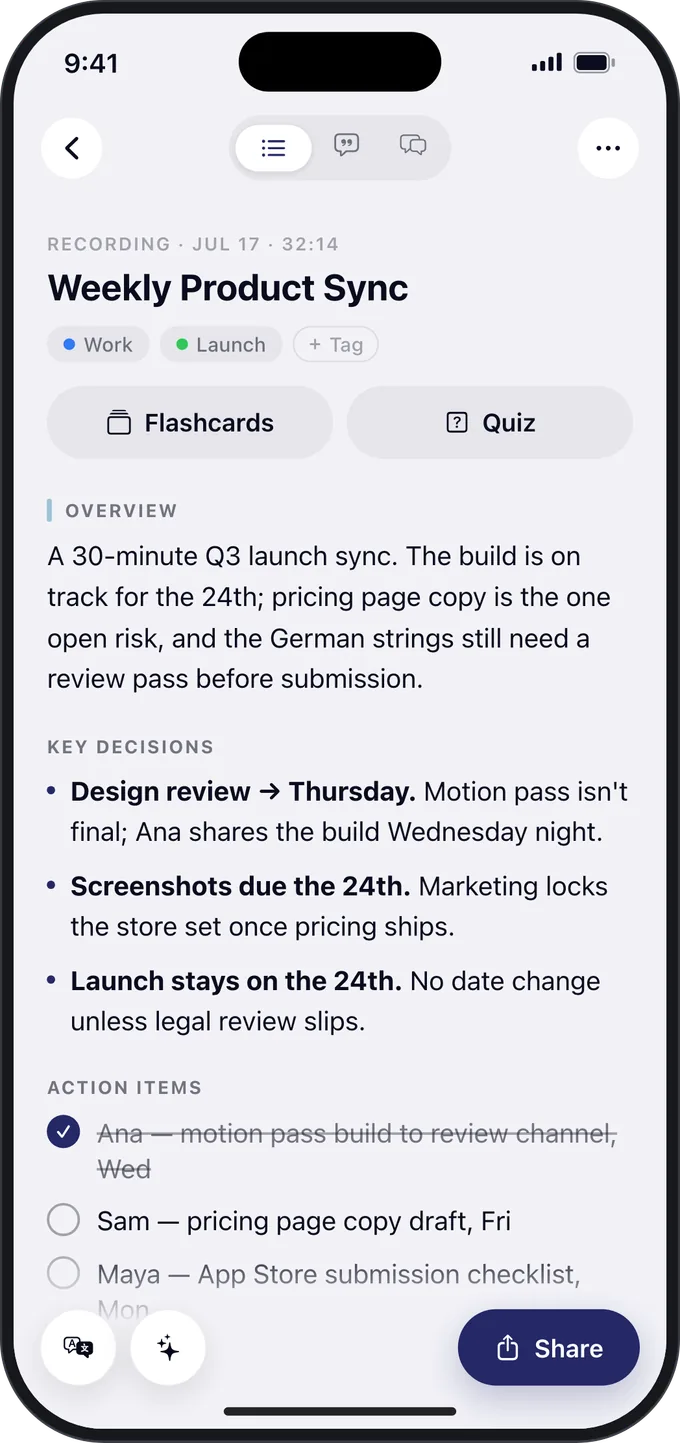
Summary by Apple Intelligence
iPhone
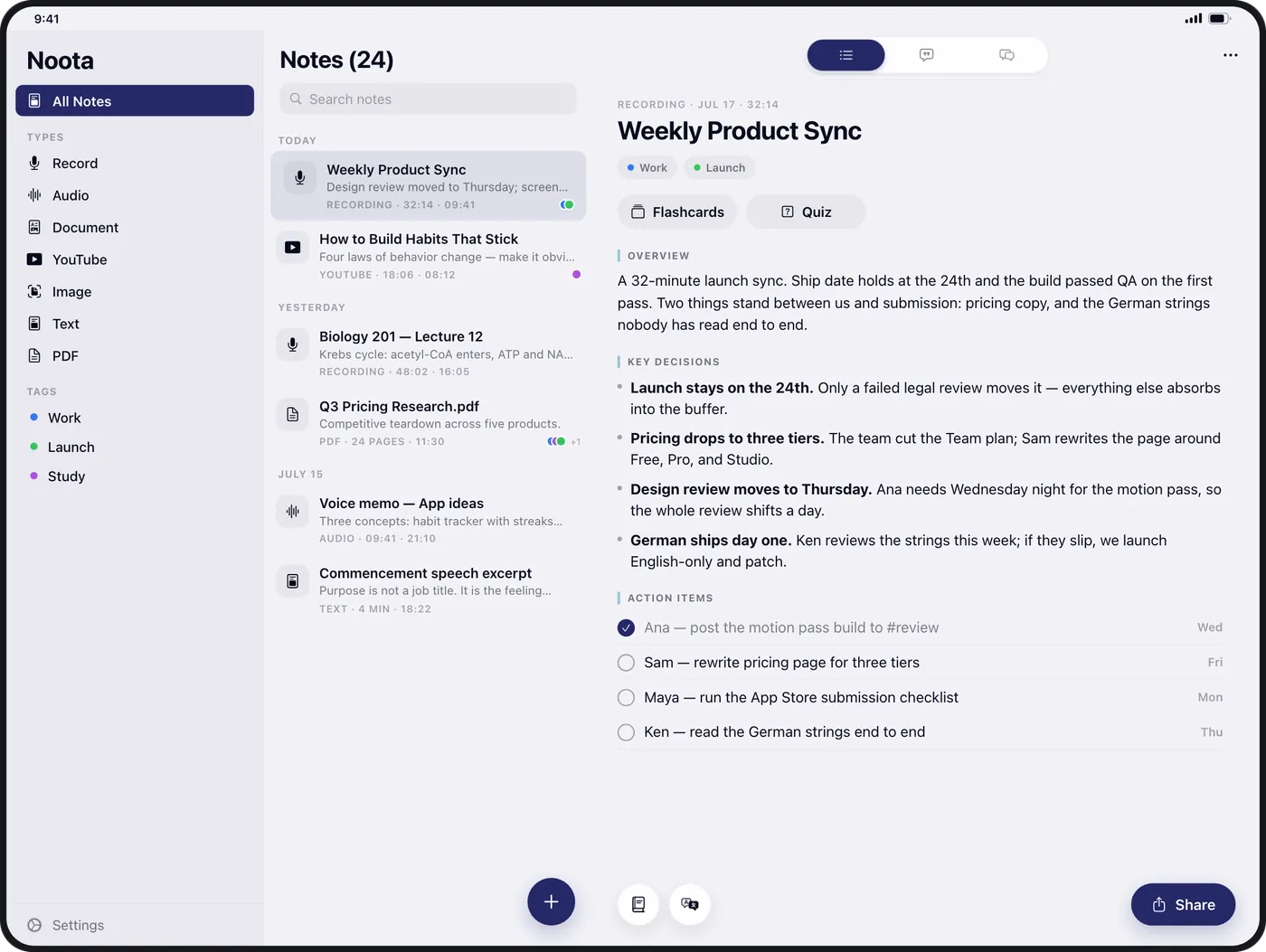
iPad
Mac
Apple Watch
Web
Apple Intelligence on supported devices with iOS, iPadOS or macOS 27 or later. Recording happens in the apps for iPhone, iPad, Mac and Apple Watch.
Privacy
Transcribed on your iPhone, iPad and Mac.
Many transcription apps send your recordings to a cloud service to turn them into text. Noota does that on your iPhone, iPad or Mac, and your recordings are never sent to an AI provider.
On your device
Transcription
Apple’s speech recognition, or WhisperKit models that run on your device, turn speech into text. Your recordings are never sent to an AI provider.
Apple Intelligence
Summaries
On supported devices, Apple Intelligence writes the summary on the device itself, or on Apple’s Private Cloud Compute, which, according to Apple, keeps none of it.
Built into your device
Translation
Summaries are translated by Apple’s built-in translation. Noota never sends them to its servers to be translated.
Not for trainingYour notes are never sold, never used for advertising and never used to train AI models, by us or by our AI providers.
Yours to keep or deleteNotes sync through your Noota account. Export them, or delete your account and everything in it, at any time.
Transcripts stay out of searchSpotlight and Siri see a note’s title, summary and tags, never its transcript.
Sound, video, files and paper: Noota turns each one into the same clear note.
Meetings and lectures
Record on iPhone, iPad, Mac or Apple Watch. On iOS 26 or later, the words appear as people speak.
Audio and video files
In the app, import a recording you already have.
YouTube videos
Paste a link and get the notes, without watching it twice.
PDFs and documents
Slides, papers and reports: Word, PowerPoint, Excel and more.
Photos and scans
A whiteboard, a handout or a page of notes.
Text
Paste an article, an email or your own notes.
Clarity out
One note. Everything you need from it.
Transcripts
Tap once. Capture it all.
Noota transcribes on your iPhone, iPad or Mac, so your recordings are never sent to an AI provider. Search every word later, and play the moment it was said.
A live transcript as you record, on iOS 26 or later
Search across all your notes
Play any line from where it was said
Summaries
Hours become minutes.
Key takeaways, decisions and action items, ready moments after you stop. Choose the style that fits: study notes, meeting minutes, concise or analytical.
Formulas typeset, not mangled
Translate a summary on iPhone, iPad or Mac
Export to PDF or Markdown
Study
Turn notes into knowledge.
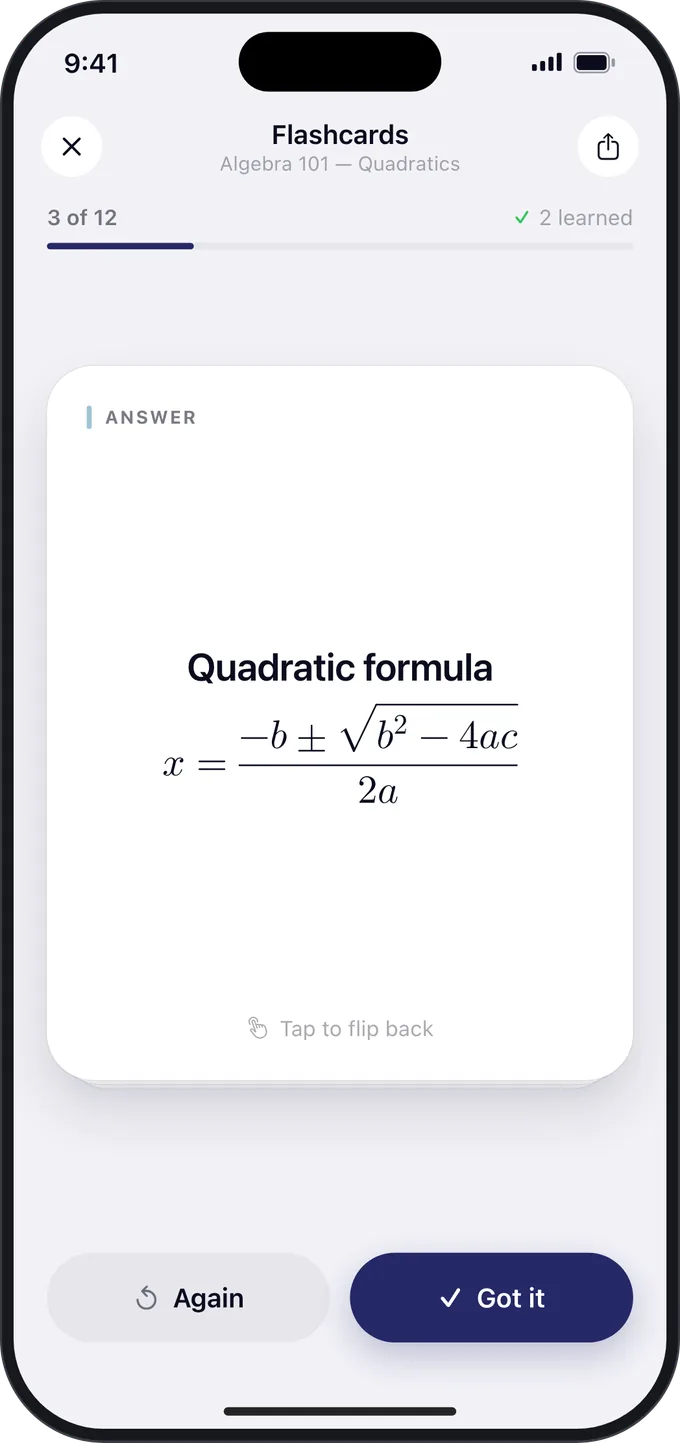
Noota makes flashcards and quizzes from any note, with an explanation for every answer. Review on your phone, or at your desk with keyboard shortcuts on the web.
Flashcards with the key facts and terms
Quizzes that explain every answer
Math in cards and questions, typeset
Ask Noota
Ask your notes anything.
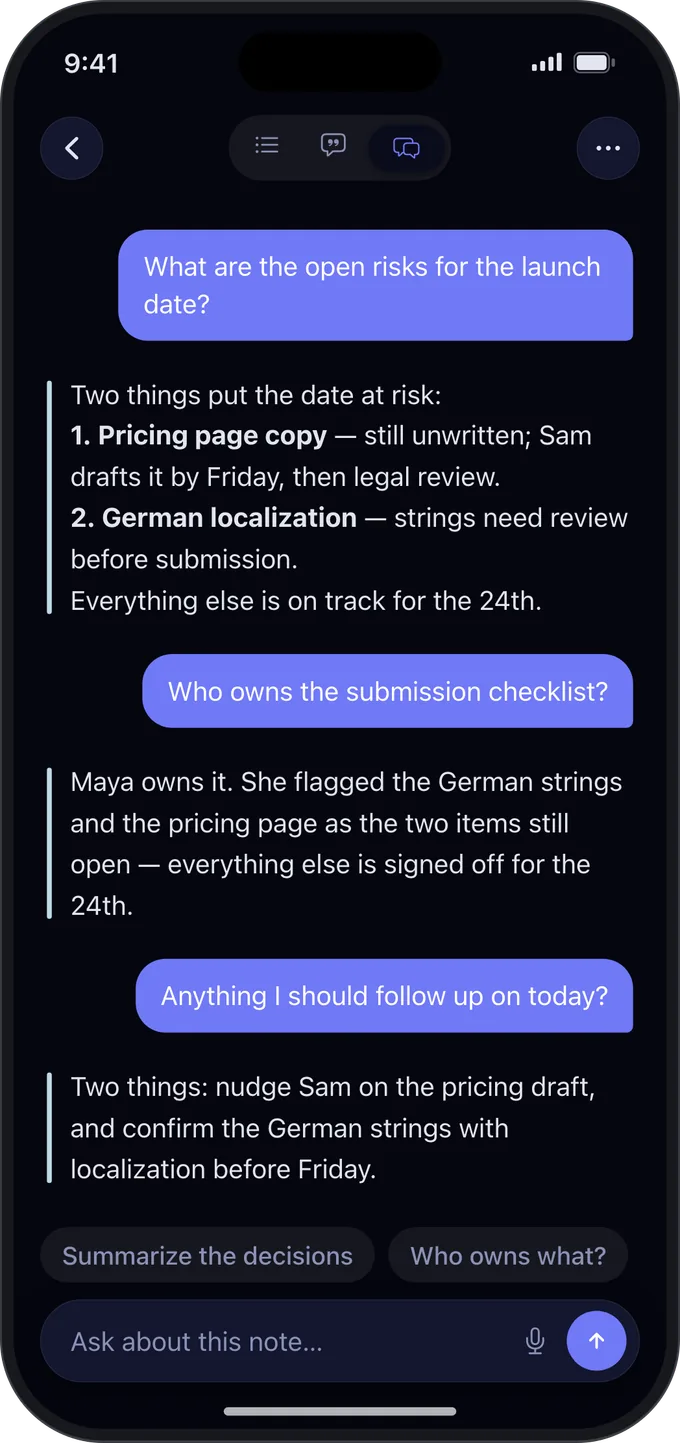
Ask a question about a note and get an answer drawn from the note itself. On iPhone, ask Siri and hear the answer read back.
Answers grounded in your note
Suggested questions to get you started
Hands free with Siri
Made for
However you learn and work.
Students
Record the lecture, then study the flashcards and quizzes Noota makes from it. Formulas included.
Meetings
Decisions and action items, written up moments after the call.
Interviews and research
Transcripts you can search word by word, with the recording a tap away.
Curious minds
Talks, videos, papers and articles, understood in minutes instead of hours.
Everywhere
On every device you own. And any computer.
Native apps for iPhone, iPad and Mac, a recorder on your wrist, and Noota on the web for every other computer.
iPhone
Record, read and review anywhere, with widgets and Siri.
iPad
Full size, and side by side with another app.
Mac
A native Mac app, with recording in a panel beside your notes.
Apple Watch
Record from your wrist; Noota sends it to your iPhone.
Noota Pro is sold in the app, through your Apple Account, with prices in your own currency.
FAQ
Questions, answered.
Is Noota free?
You can start for free. The free plan includes three notes with everything Noota does: transcripts, summaries, flashcards, quizzes, Ask Noota and export. Noota Pro removes the limit.
Does Noota upload my recordings?
Only to keep them in your account. On iPhone, iPad and Mac, speech is turned into text on the device, and your recordings are never sent to an AI provider. Your notes, including recordings up to 50 MB, are stored in your Noota account so they sync to your other devices and the web. Larger recordings stay on the device that made them.
Which languages does Noota support?
The Noota apps are available in 14 languages, and Noota on the web in 13. Recordings are transcribed on your iPhone, iPad or Mac, by Apple’s speech recognition or by speech models that run on the device, so the languages you can record in depend on your device and its system version.
Can I use Noota on Windows, Android or a Chromebook?
Yes, in the browser. Sign in with Apple or Google to read, study and ask about your notes, and to create notes from text, YouTube, PDFs, documents and photos. Recording happens in the apps for iPhone, iPad, Mac and Apple Watch.
Do I need an account?
Not to start: Noota works on iPhone, iPad and Mac without signing in. On the web, sign in with Apple or Google. If you already use the app without an account, link Apple or Google in the app’s Settings first, so your notes come with you.
Does Noota handle math?
Yes. Formulas are typeset in summaries, flashcards, quizzes and PDF exports, and in the text read from PDFs and photos, in the apps and on the web.
Can I export or delete my notes?
In the app, share any note as PDF or Markdown; on the web, download it as PDF, Markdown, text or subtitles, and its flashcards as CSV or for Anki. You can delete your account and everything in it from Settings, in the app or on the web.
Does Noota use Apple Intelligence?
Yes, where it can. On an iPhone, iPad or Mac with iOS, iPadOS or macOS 27 or later, where Apple Intelligence is available, Noota can write a note’s summary with Apple’s own models, on the device or on Apple’s Private Cloud Compute. Other summaries, and flashcards, quizzes and answers, come from our AI providers, Anthropic and Google, which don’t train their models on your notes.
Anything in.Clarity out.
Get Noota for iPhone, iPad, Mac and Apple Watch, or open it in your browser.